Rogue AP / evil twin
Alerts when your network’s name starts coming from an access point that was not there before. The one check that needs the airwaves, not just the wire.
Airward maps every device on your network and watches the airwaves around it. When something starts broadcasting your network’s name, you know before you connect.
Free tier · universal · macOS 14+ · signed & notarized by Apple
Airward discovers and fingerprints everything on your subnet — vendor, IP, device type, open ports — and keeps it current. Randomised MACs are recognised for what they are rather than reported as a new stranger every hour.
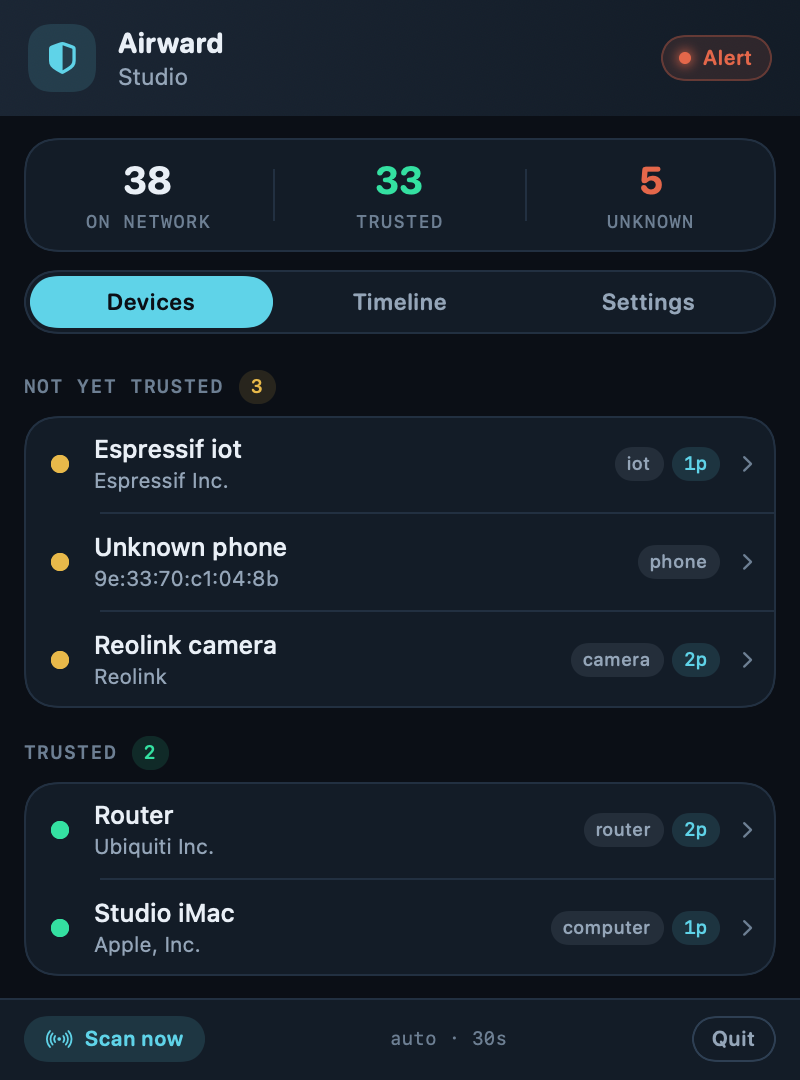
Open a device, give it a name and an owner, mark it trusted. From then on Airward only raises the ones you have not accounted for — and the first scan is treated as your network’s baseline rather than seventy separate alarms.
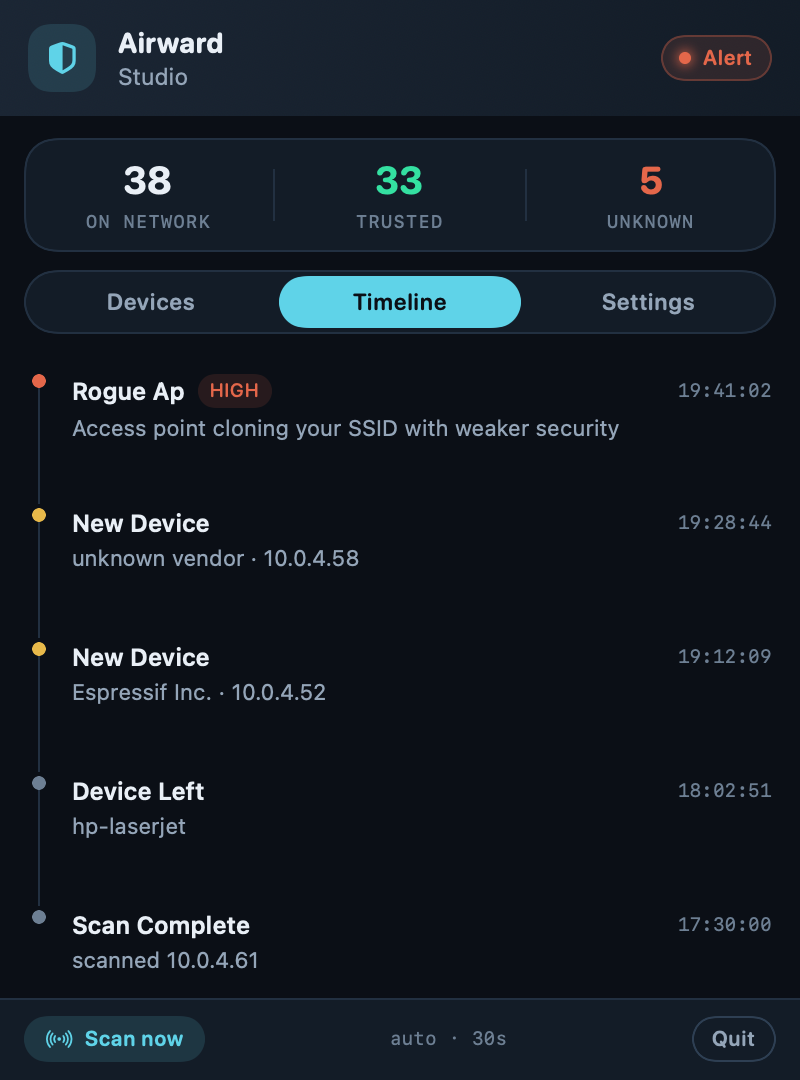
Alerts when your network’s name starts coming from an access point that was not there before. The one check that needs the airwaves, not just the wire.
Catches WPA→open and weakened encryption on the network you are actually connected to — the classic way a clone gets you to associate with it.
Association instability that can signal a deauthentication attack.
A native notification the moment an unknown device joins.
Every join, scan and anomaly, scrollable back through time.
No cloud, no account, no telemetry. Nothing leaves your Mac.
Straight talk. Airward gives you visibility — who is on your network — and intrusion detection — alerts on unknown devices and rogue access points. It does not decrypt traffic and it does not “stop eavesdroppers”; modern Wi-Fi is already encrypted over the air. It only ever watches the network you are connected to. What an evil twin can actually do →
€0
€39.99
Secure checkout · VAT calculated at checkout · licence key by email
No. Discovery and analysis happen on your Mac and stay in a local database. There is no account and no telemetry. You can export or delete everything at any time.
macOS only reveals your Wi-Fi network’s name and identifier (SSID/BSSID) to apps that have Location permission, and rogue-AP detection needs them. Your location itself is never stored or transmitted.
No. Airward is strictly defensive. It monitors the network you are connected to and never probes beyond it.
Pro is a one-time €39.99 purchase. There is no subscription.
A universal build for Apple Silicon and Intel, on macOS 14 Sonoma or later.
Free tier, no account, no telemetry. Signed and notarized by Apple.
Download for macOSUniversal (Apple Silicon & Intel) · macOS 14 Sonoma or later · 23 MB
Or with Homebrew brew install --cask airward